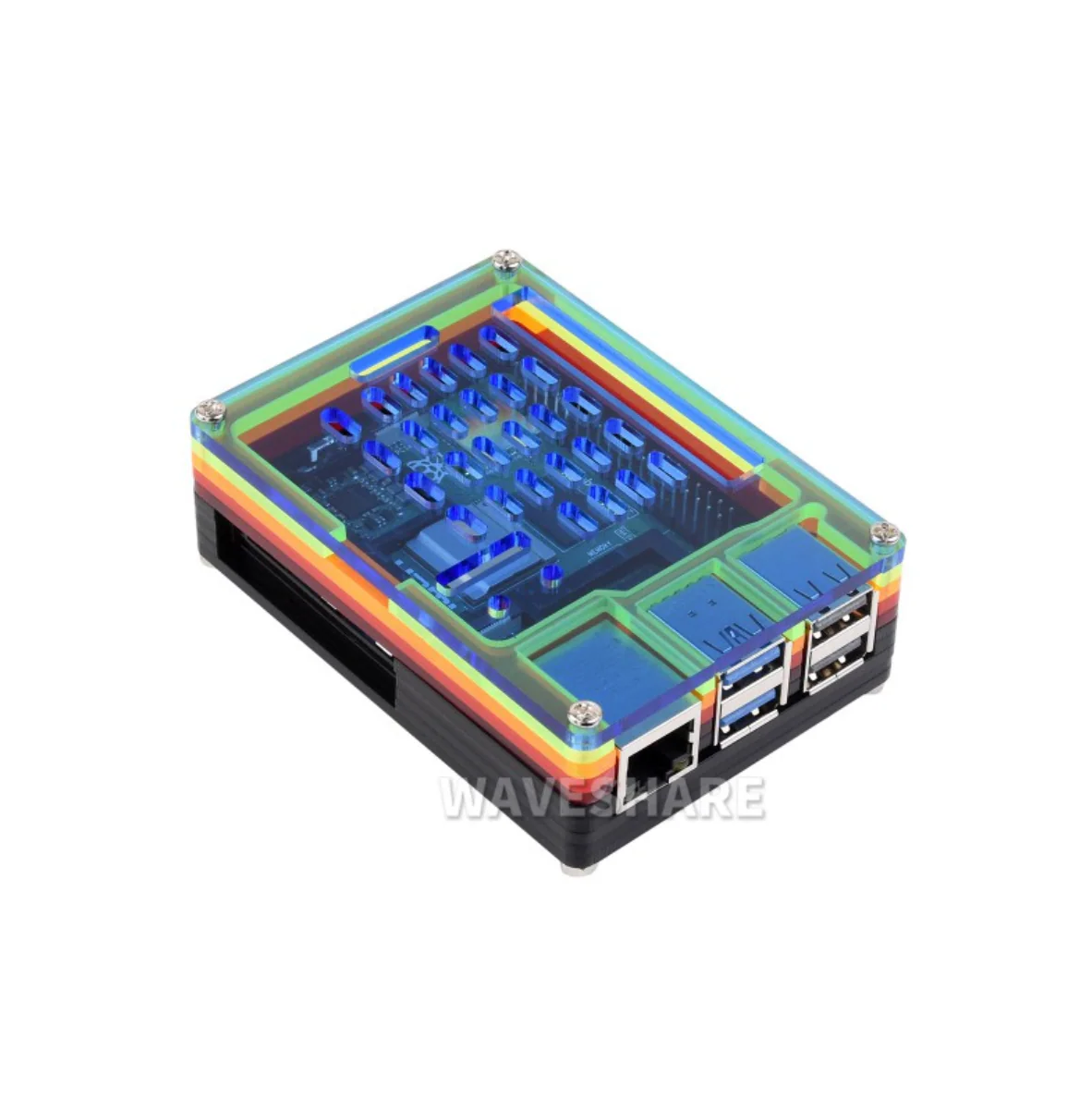
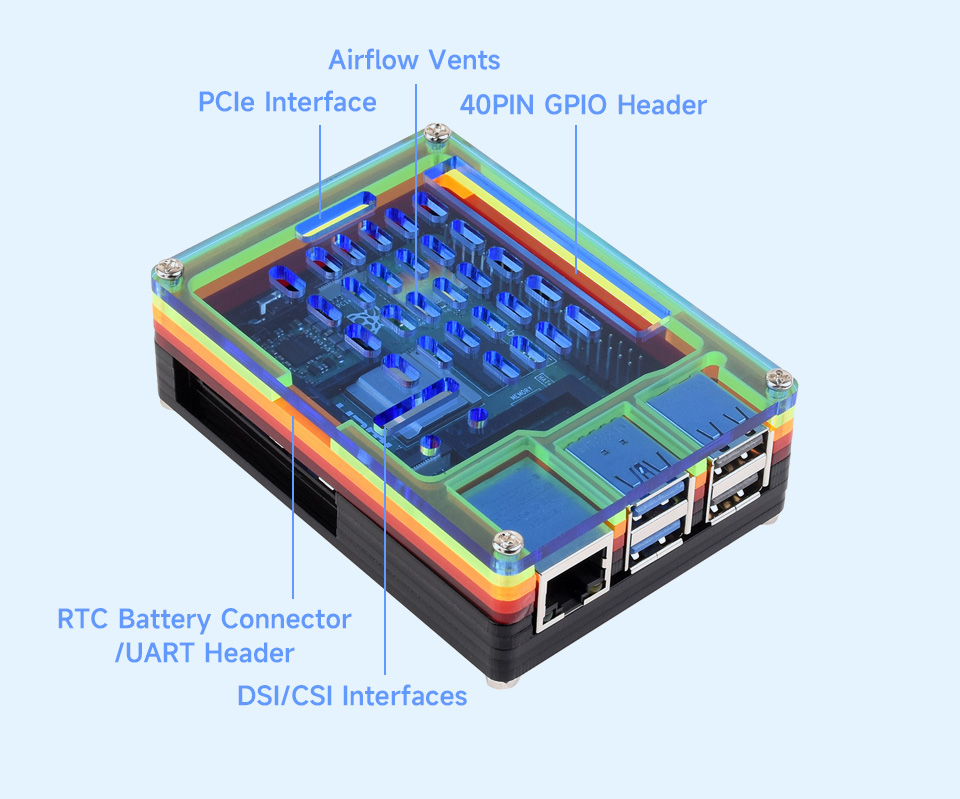
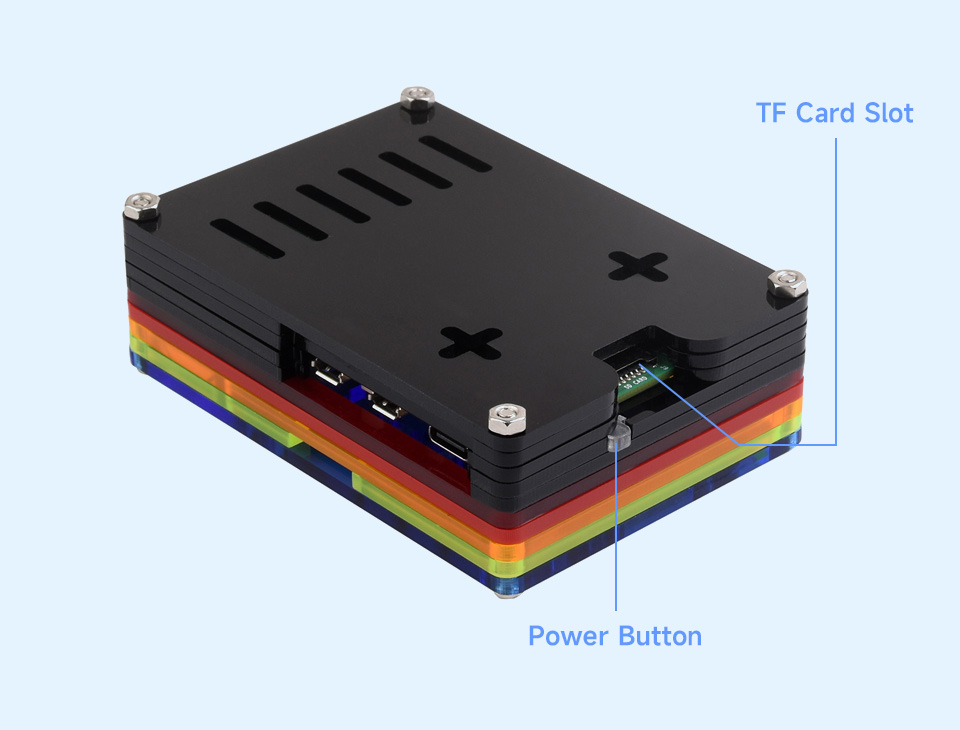
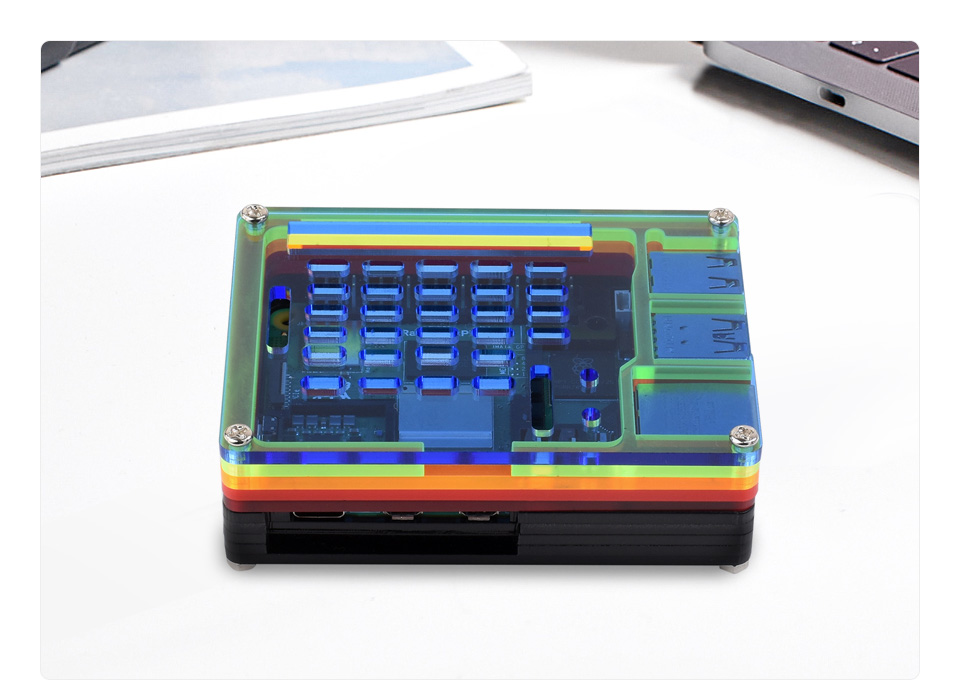
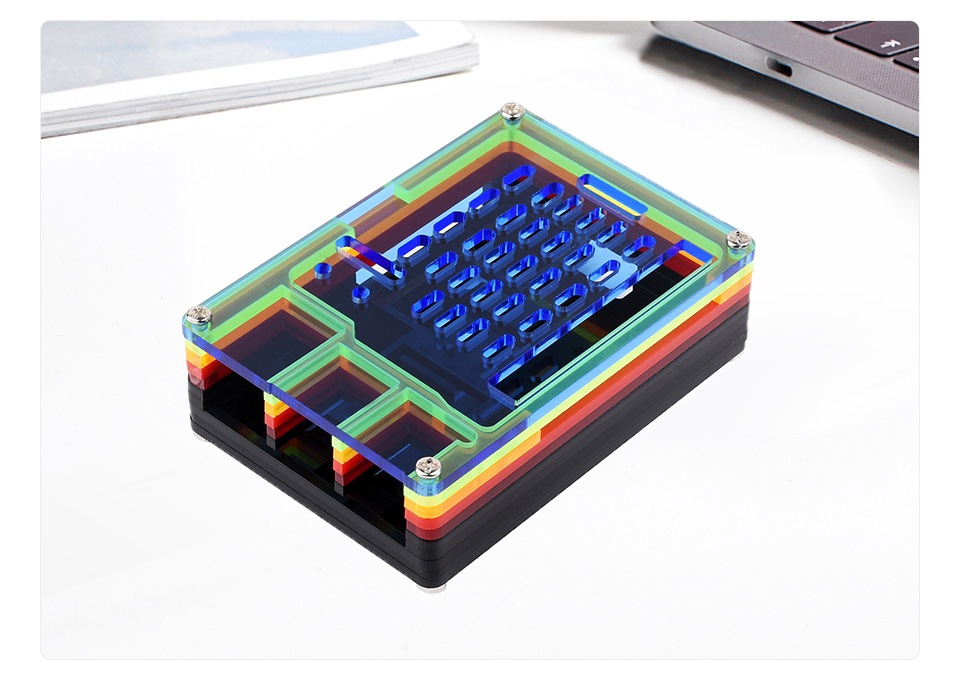
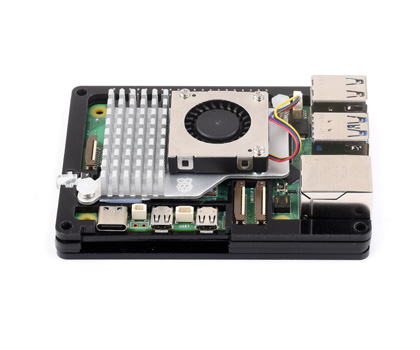
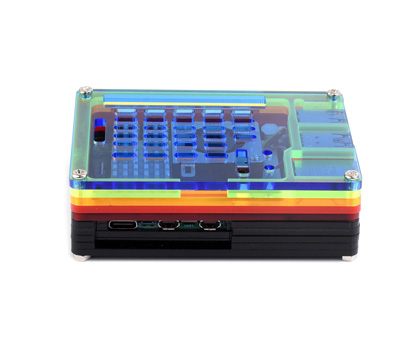
Openings For 40PIN GPIO, PCIe, DSI/CSI Interfaces And Airflow Vents On The Top And For RTC Battery Connector/UART Header On The Side, With Power On/Off Button. Easy To Pull & Plug TF Card On The Bottom
Product Show
* for reference only, please refer to the Package Content for detailed part list
How To Install - you must do these steps in the correct order!! Do not install the Active cooler till step 2
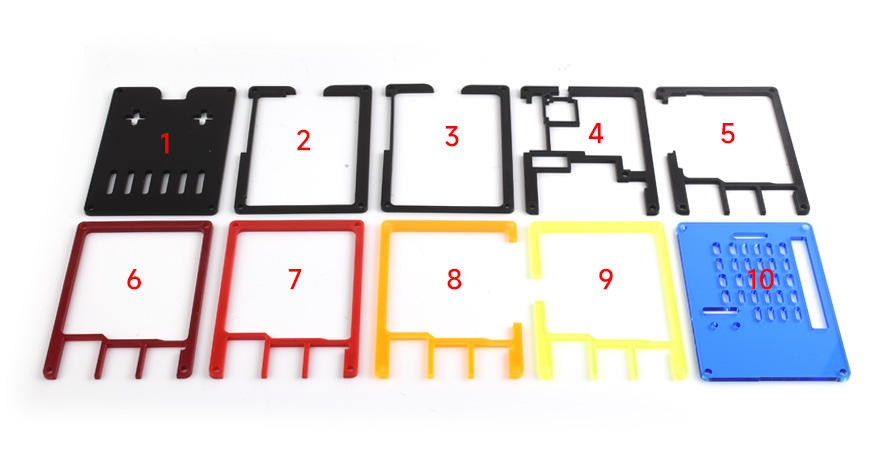
The Case Consists Of 10 Layers Of Acrylic Panels, Please Install According To The Following Steps
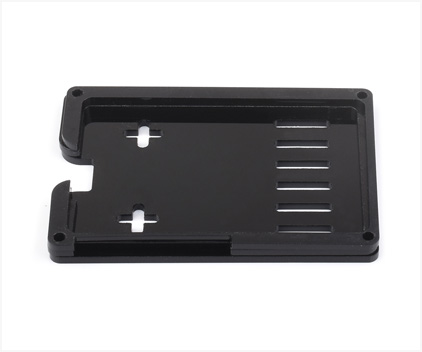
1. Place the 1st, 2nd, and 3rd acrylic panels in order as shown, then place the Raspberry Pi 5 board.
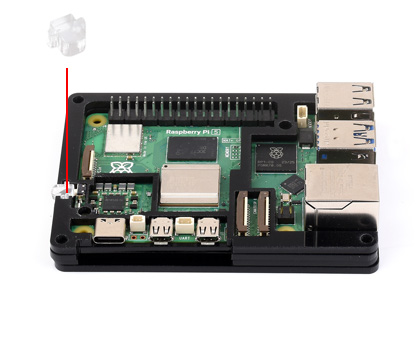
2. Place the 4th acrylic panels on the Raspberry Pi 5, then install the power button.
3. Install the active cooler on the Raspberry Pi 5.
4. Place the 5th to 10th acrylic panels in order and fix them via screws, then install the nonskid rubber pads to the bottom.
* for reference only, the Raspberry Pi 5 and active cooler are NOT included. if you need to install peripherals such as a camera and DSI display, please connect the peripheral cables first before installing the 10th acrylic panel.
$9.85
Rainbow Acrylic Case For Raspberry Pi 5—
$9.85
Product Information
Shipping & Returns
Description
Openings For 40PIN GPIO, PCIe, DSI/CSI Interfaces And Airflow Vents On The Top And For RTC Battery Connector/UART Header On The Side, With Power On/Off Button. Easy To Pull & Plug TF Card On The Bottom
Product Show
* for reference only, please refer to the Package Content for detailed part list
How To Install - you must do these steps in the correct order!! Do not install the Active cooler till step 2
The Case Consists Of 10 Layers Of Acrylic Panels, Please Install According To The Following Steps
1. Place the 1st, 2nd, and 3rd acrylic panels in order as shown, then place the Raspberry Pi 5 board.
2. Place the 4th acrylic panels on the Raspberry Pi 5, then install the power button.
3. Install the active cooler on the Raspberry Pi 5.
4. Place the 5th to 10th acrylic panels in order and fix them via screws, then install the nonskid rubber pads to the bottom.
* for reference only, the Raspberry Pi 5 and active cooler are NOT included. if you need to install peripherals such as a camera and DSI display, please connect the peripheral cables first before installing the 10th acrylic panel.
You may also like
-70%
RN-XV WiFly Module - Wire Antenna
$72.53
$21.76
Passive PoE Injector Cable Set
$14.91
GPS Module - Venus638FLPx-L 20Hz (14 Channel)
$60.45
Redpark Lightning Console Cable for iOS (L2-RJ45V)
$171.35
6 Digital Calipers
$46.16
-70%
BMP180 Barometer Module
$14.21
$4.26
-70%
RN-XV WiFly Module - U.FL Connector
$72.53
$21.76
RN-XV WiFly Module - RP-SMA Connector
$72.53
Wild Thumper 6WD Chassis - Black (34:1 gear ratio)
$528.82
-70%
Screw - Phillip Head (M3 x 12mm, 3 pack)
$1.86
$0.56
USB 2.0 A Male to A Female Cable 1.8m
$12.58
6-Pin Chassis Connector - Panel Mount (male and female)