Temperature and Humidity Sensor Module DHT11
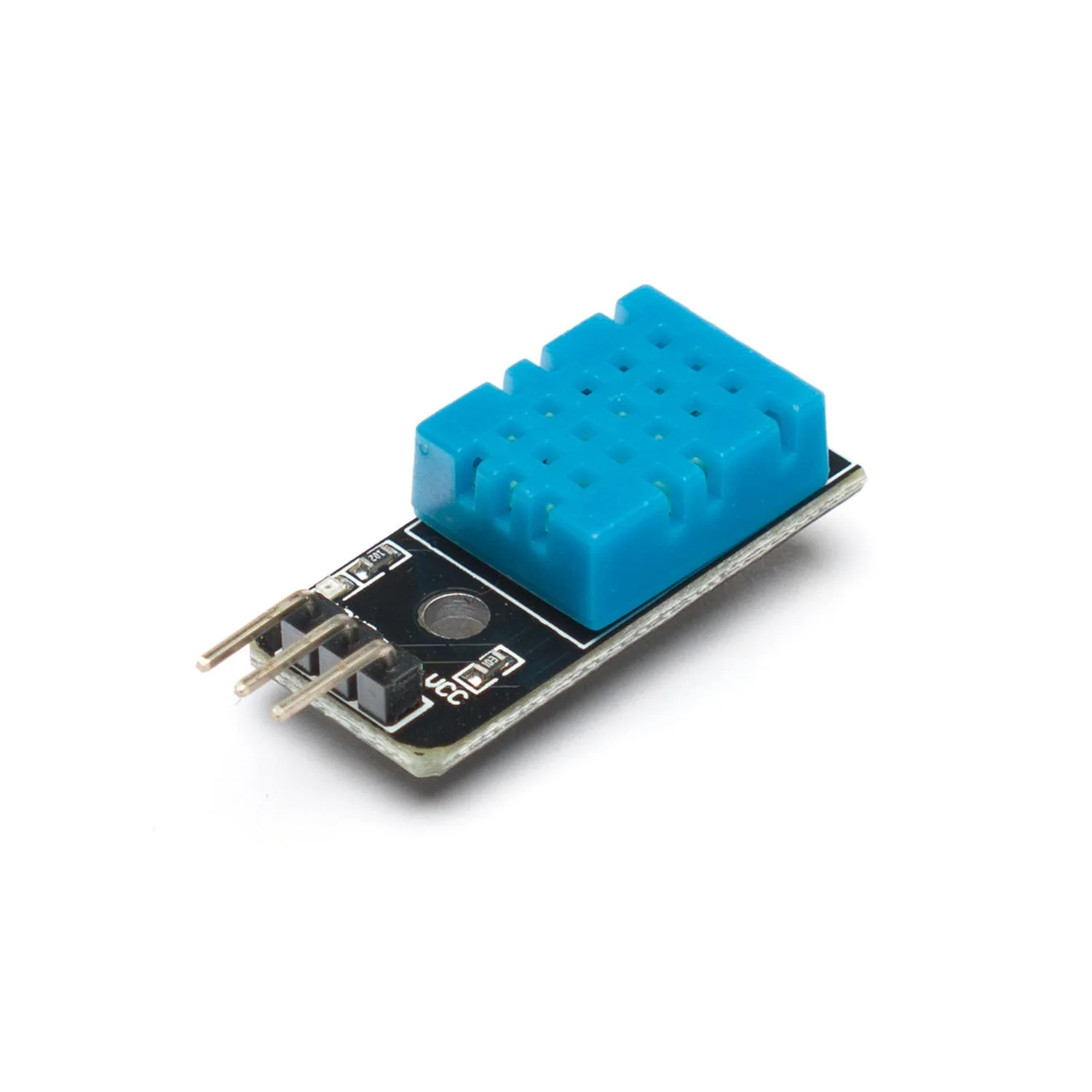
DHT11 Temperature and Humidity sensor is as powerful as it used to be but easier to use. This DHT11 Arduino temperature and humidity sensor has a full range temperature compensation, low power consumption, long term stability and calibrated digital signal. A high-performance 8-bit microcontroller is integrated in the sensor with calibration-coefficient saved in OTP memory to provide accurate temperature readings.
GND: In electronics, we define a point in a circuit to be a kind of zero volts or 0V reference point, on which to base all other voltage measurements. This point is called ground or GND.
DATA: The DHT11 measures the air and outputs a digital signal on this pin.
3.3V : 'VCC' stands for Voltage Common Collector, we'll connect the VCC pin to 3.3V on the micro:bit
Voltage is the difference in electric potential between two points. As it is difficult to talk about voltage without a reference point, we need another point to compare it to.
It can be programmed in MakeCode editor and the Arduino IDE. Skip to step 7 to program it with the Arduino IDE.
Product Information
Product Information
Shipping & Returns
Shipping & Returns
Description
DHT11 Temperature and Humidity sensor is as powerful as it used to be but easier to use. This DHT11 Arduino temperature and humidity sensor has a full range temperature compensation, low power consumption, long term stability and calibrated digital signal. A high-performance 8-bit microcontroller is integrated in the sensor with calibration-coefficient saved in OTP memory to provide accurate temperature readings.
GND: In electronics, we define a point in a circuit to be a kind of zero volts or 0V reference point, on which to base all other voltage measurements. This point is called ground or GND.
DATA: The DHT11 measures the air and outputs a digital signal on this pin.
3.3V : 'VCC' stands for Voltage Common Collector, we'll connect the VCC pin to 3.3V on the micro:bit
Voltage is the difference in electric potential between two points. As it is difficult to talk about voltage without a reference point, we need another point to compare it to.
It can be programmed in MakeCode editor and the Arduino IDE. Skip to step 7 to program it with the Arduino IDE.